
Add your subcontractors and suppliers to Bolster before you send them bid requests or purchase orders. You can then see which vendors are missing documents, such as a certificate of insurance (COI) or a licence, and request those documents in a click.
Where to find it: Jobs › Subs & vendors for your vendor list, and the job's Overview page for requesting documents.
Add a vendor
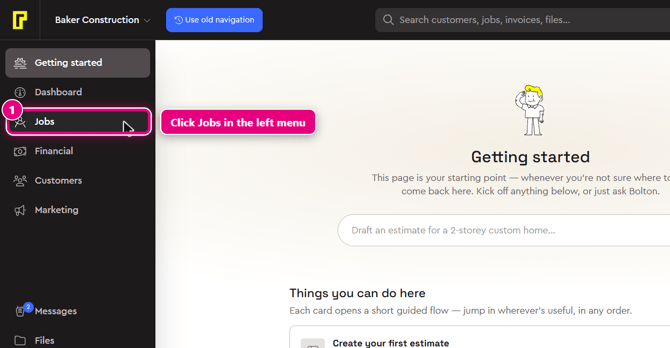
Step 1: In the left menu, click Jobs. Hover over the left menu to see the labels. Jobs is just below Dashboard.
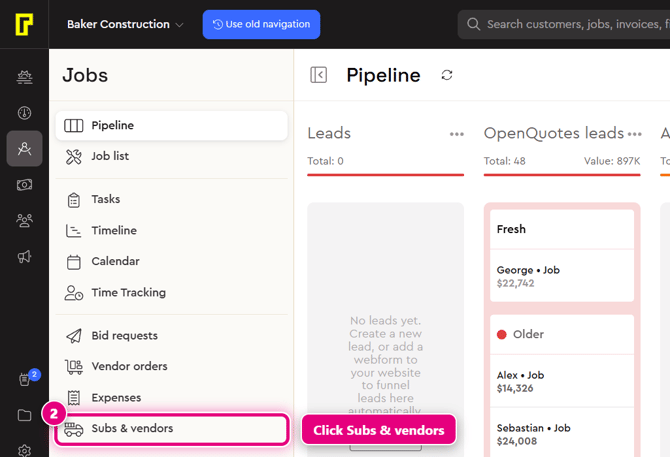
Step 2: In the Jobs menu, click Subs & vendors. This opens the Subcontractors + suppliers list.
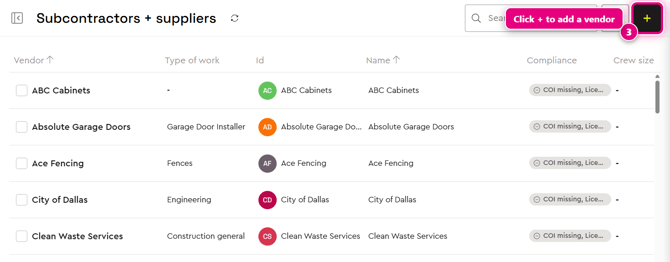
Step 3: Click the + button in the top-right corner of the list.
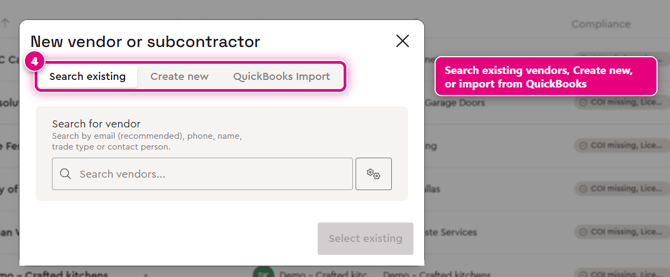
Step 4: The New vendor or subcontractor window opens with three tabs:
- Search existing: find a vendor by email, phone, name, trade type or contact person. Searching by email is recommended.
- Create new: add a vendor from scratch.
- QuickBooks Import: bring your vendors in from QuickBooks.
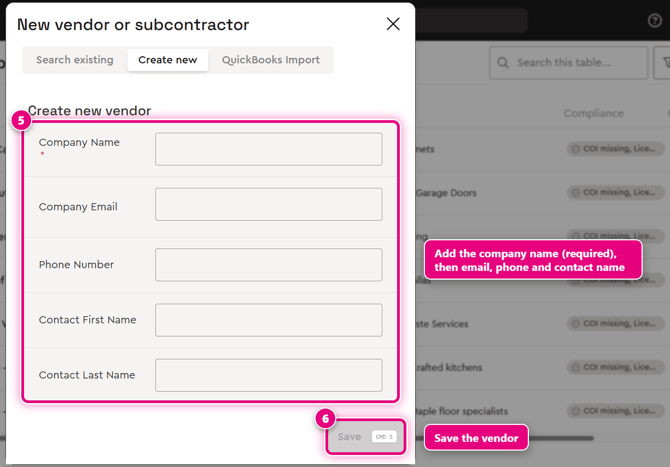
Step 5: To add a vendor from scratch, click Create new and fill in Company Name (required), Company Email, Phone Number, Contact First Name and Contact Last Name.
Step 6: Click Save. The vendor is added to your Subs & vendors list.
See which vendors are missing documents
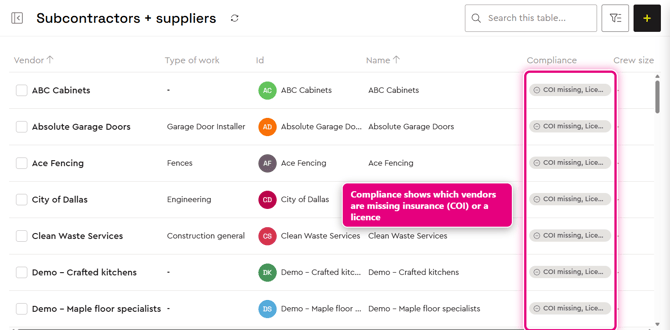
On the Subcontractors + suppliers list, the Compliance column shows each vendor's document status, for example "COI missing, Licence missing". COI stands for certificate of insurance.
Request documents from a vendor
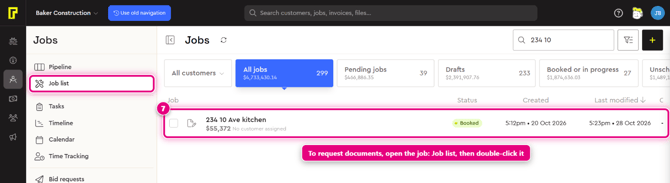
Step 7: Open the job the vendor is working on. In the Jobs menu, click Job list, find the job (you can search by name or address), then double-click it.
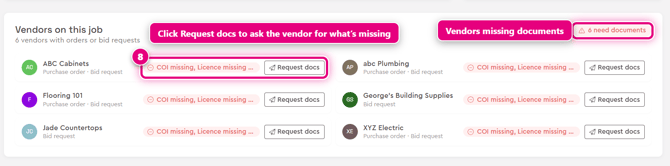
Step 8: The job opens on its Overview page. Scroll down to Vendors on this job, which lists every vendor with orders or bid requests on the job and shows how many need documents. Next to a vendor marked as missing documents, click Request docs to request them from the vendor.
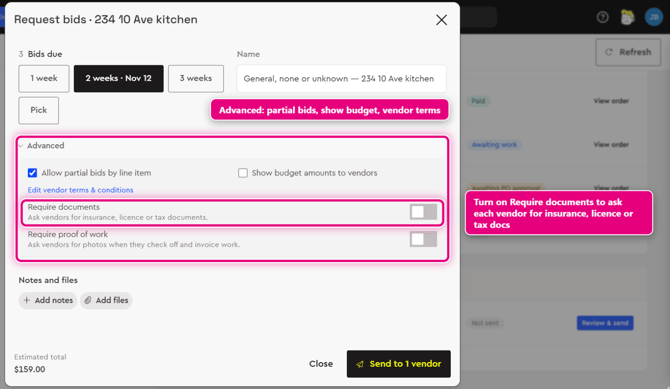
Tip: you can also ask for documents when you send a bid request. In the Request bids window, open Advanced and turn on Require documents to ask vendors for insurance, licence or tax documents. See Send a bid request (RFQ) to your vendors.
Learn more
- Vendor Management in Bolster: Send RFQ. Generate PO. Pay vendor.
- Construction Purchase Orders: A Contractor's Guide From RFQ to Paid
- Vendor Management overview