
KYB (Know Your Business): verifies a company registration details, legal entity type, ownership information & documents like incorporation certificates.
KYC (Know Your Customer): verifies an individual’s identity by collecting personal information, a government-issued ID & a selfie.
Why you need to do this:
- Protect Against Fraud – Only verified people and businesses can accept payments, keeping contractors and homeowners safe.
- Stay Compliant – Laws require platforms like Bolster to verify businesses before processing payments.
- Build Trust – Homeowners feel more confident paying verified contractors.
- Get Paid Faster – Once verified, payments flow smoothly without bank delays or holds.
This process confirms who you are and that your business is legitimate, so you can start receiving payments online from your clients, safely & securely.
Supporting documents you may need available to Get Started:
- Certificate & Articles of Incorporation
- EIN confirmation letter from the IRS or BN issued by the CRA
- Government-issued photo ID
- A recent business bank statement (no older than 3 months)
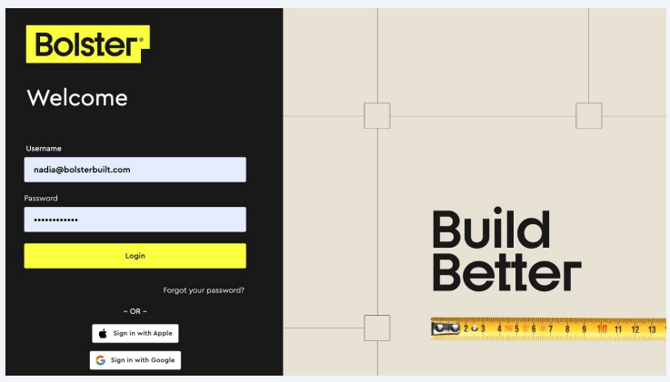
Log in to Bolster at https://app.bolsterbuilt.com/login
Click Financial Services > Payments > Get Started
Complete the Know Your Business (KYB) Process
-
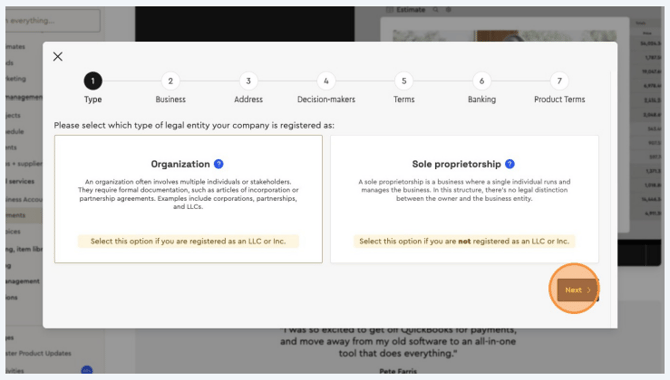
Select your company’s legal entity type (e.g., LLC, Inc, or Sole Proprietor).
-
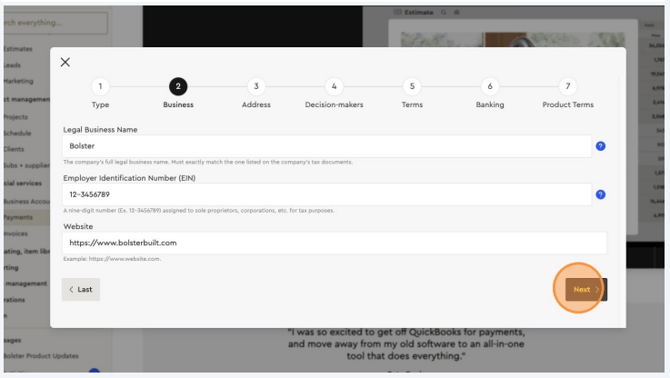
Fill in the required company details.
-
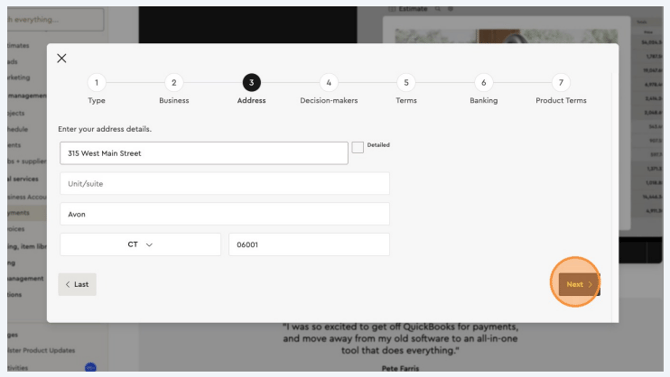
Enter your company’s registered business address.
Complete the Know Your Customer (KYC) Process
-
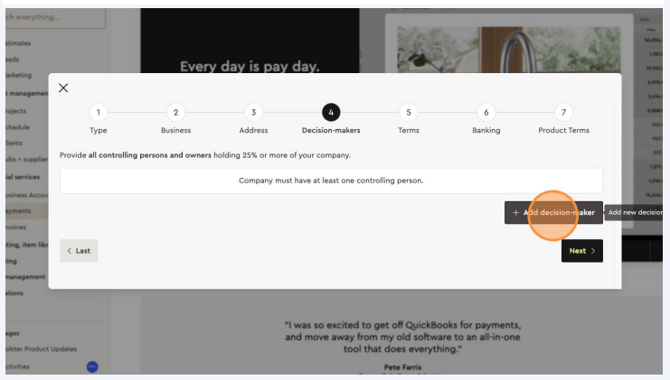
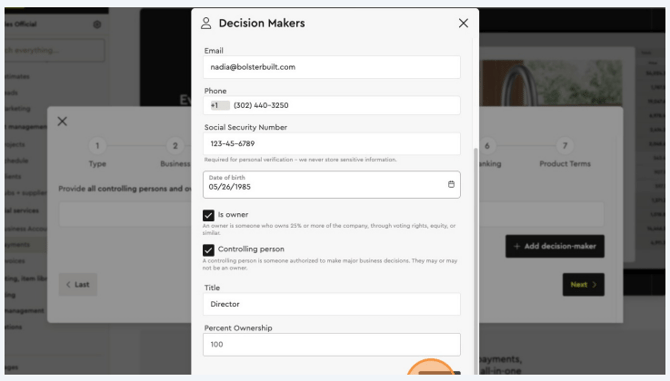
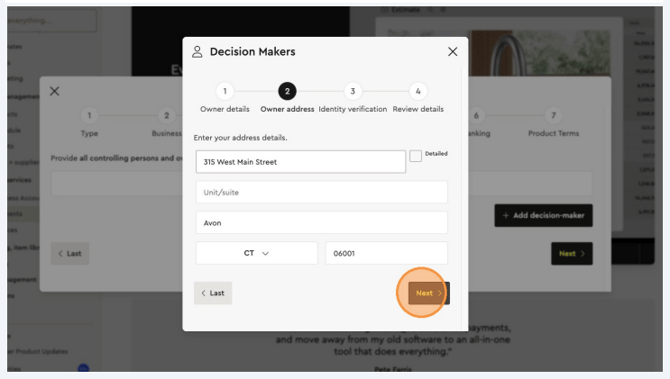
Click Add Decision-Maker and enter their personal details and address.
-
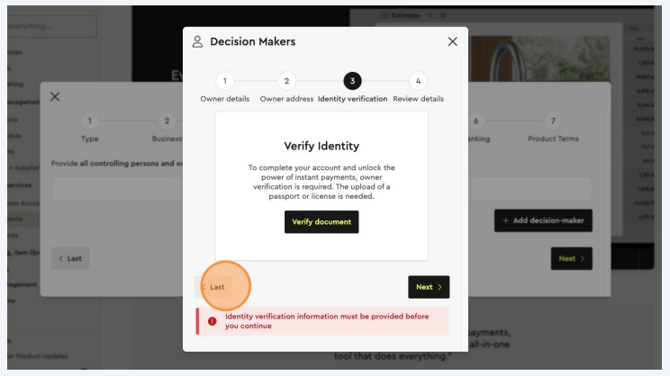
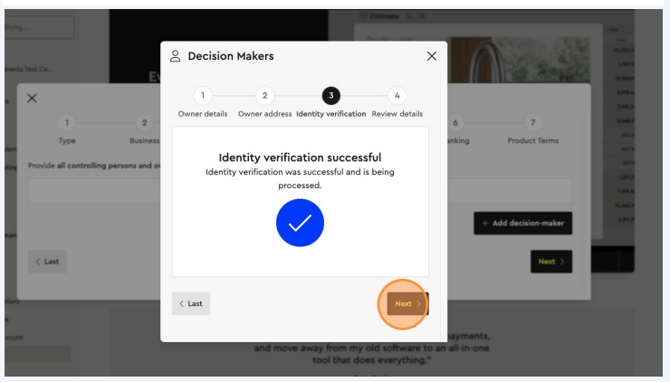
Click Verify Document and upload a photo of a government-issued ID (front and back) plus a selfie.
-
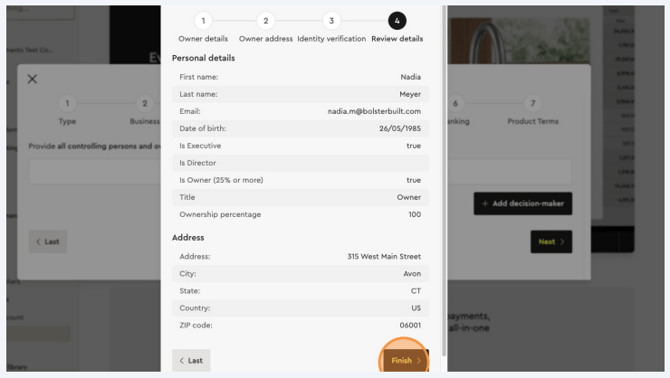
Review the details and click Finish.
-
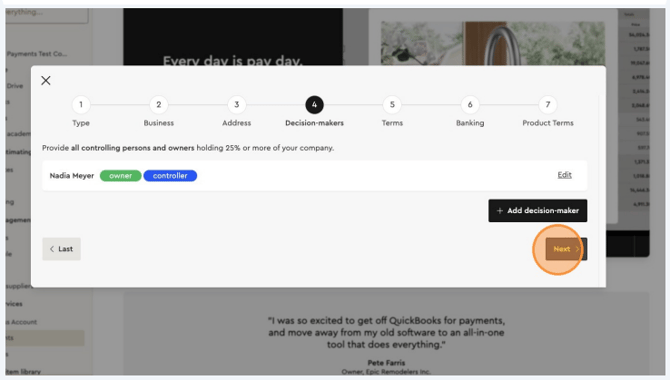
Add additional decision-makers if needed, then click Next.
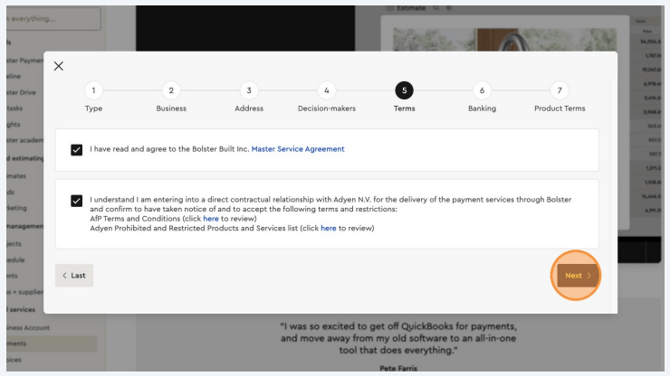
Confirm your agreement to the Terms by ticking the boxes, then click “Next.”
Click “Add Bank Account” and connect your company’s registered business bank account.

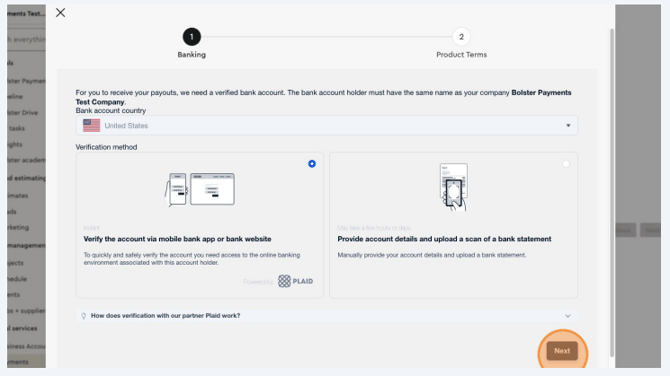
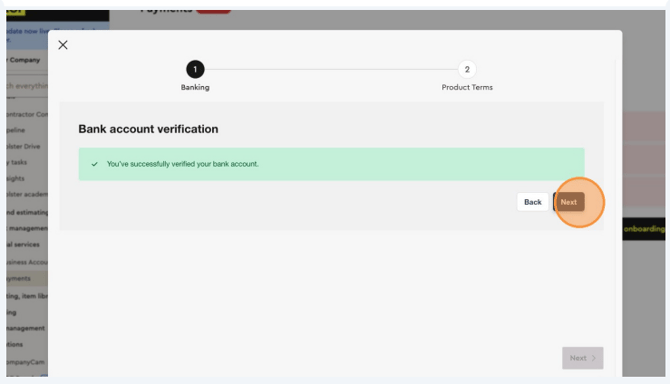
Click “Finish” to compete the Bolster Payments onboarding process.
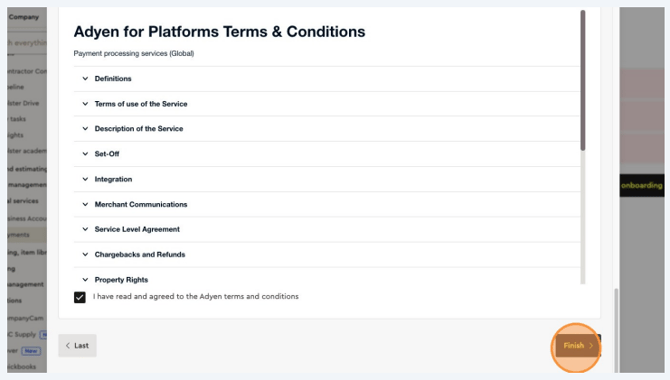
Once you have completed the Bolster Payments onboarding process and your information has been verified, go to your Bolster Payments tab.
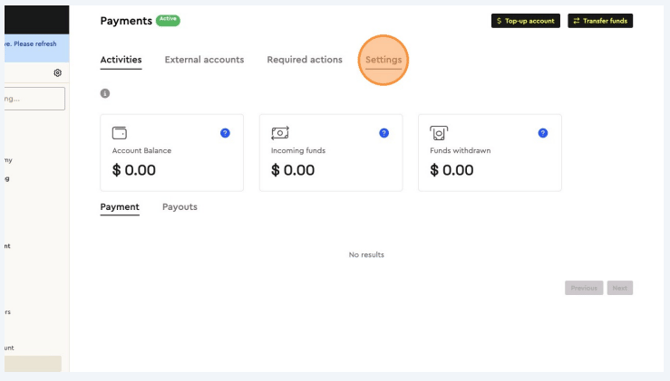
You will see that the ability to receive payments from your clients has been activated.
Click on Settings to set up your Company’s Payment Terms.
Your Payment Settings & Terms
Understanding your settings & payment terms in Bolster.