
What Is Client Activity Tracking?
Client activity tracking allows you to see exactly what actions a client has taken after you send an estimate, proposal, or invoice. This removes guesswork and ensures you always know the current status of client engagement.
With this update, you can:
-
See when emails are opened
-
Track when proposals or invoices are viewed
-
Identify failed or undelivered emails
Where to Find Client Activity
Client activity is displayed within the Estimate tab using the enhanced chat and activity panel on the right-hand side of the screen.
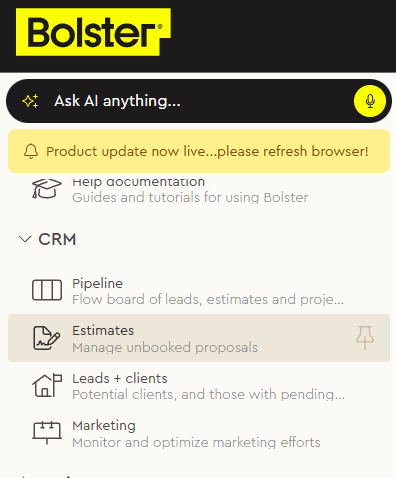
-
Then go into an estimate and locate "Messages" -> "Internal Chat & Activities"
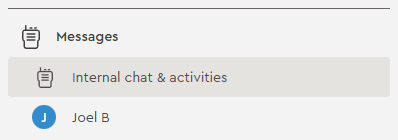
This panel logs all key actions related to the estimate, including communication events and client interactions.
Email Notifications & Delivery Status
When you send an estimate, proposal, or invoice, the system now tracks delivery and engagement in detail.
You can clearly see:
-
Email Sent – The message was successfully sent
-
Email Opened – The client has opened the email
-
Proposal or Invoice Viewed – The client has clicked through to view the document
-
Delivery Failed – The email was not delivered (for example, due to an incorrect email address)
If an email fails to deliver, the activity feed will clearly indicate that the client has not received the message, allowing you to correct the issue quickly.
Tracking Proposal & Invoice Engagement
The activity feed shows when a client:
-
Views a proposal
-
Opens an invoice
-
Clicks links within sent documents
This makes it easy to understand client intent and timing—helping you decide when to follow up or move the project forward.
Internal vs Client Visibility
The activity panel distinguishes between:
-
Internal activity – Actions taken by your team (edits, updates, backups)
-
Client activity – Actions taken by the client (email opens, views, clicks)
This separation keeps communication clear and ensures internal notes remain internal.
Why This Matters
Improved client notifications and activity tracking help you:
-
Eliminate uncertainty about whether a client has seen your proposal
-
Follow up at the right time with better context
-
Quickly identify and fix delivery issues
-
Maintain a clear record of communication and engagement
Summary
The enhanced Client Notifications & Activity Tracking feature gives you full visibility into client engagement directly within the Estimate tab. By tracking email delivery, opens, document views, and failed sends, you always know where your client stands—allowing for smarter follow-ups and smoother project progression.